For MacBooks with a notch, and any Mac screen
The notch that works while you do.
Your music, your Mac's health, files and clipboard, today's meetings, the weather, Keep Awake and your AI agents. All in the notch, a glance away, without a single window in the way.
macOS 14 or newer · Apple Silicon · Pay once, no subscription

Everything you glance at, in one place.
One small app instead of five. Hide the tabs you don't need and put the rest in your order.
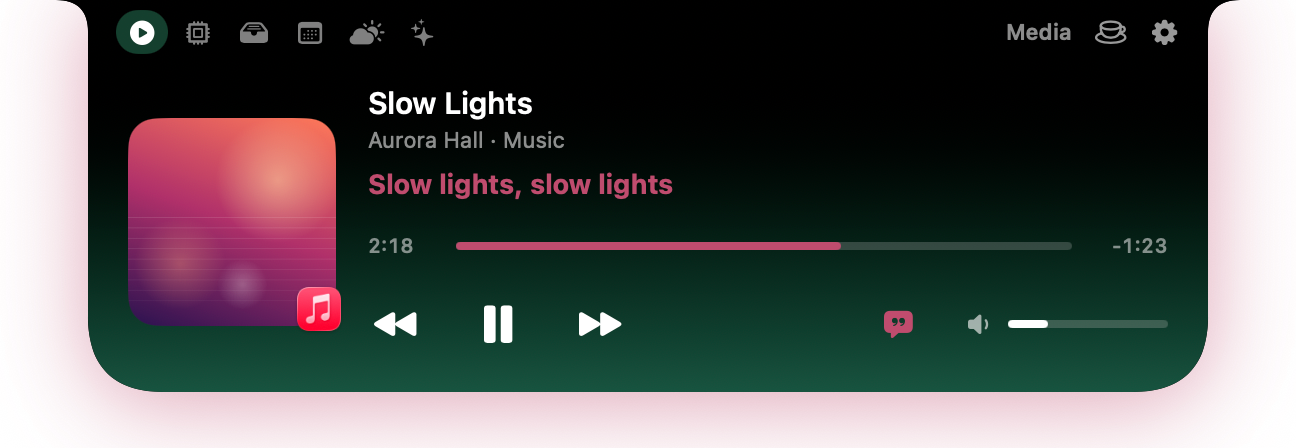
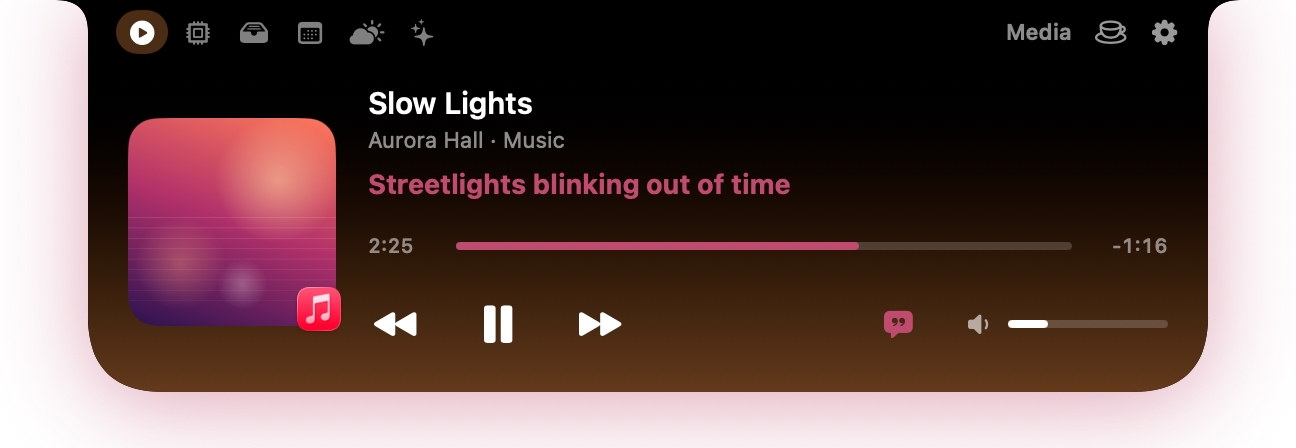
Now Playing and lyrics
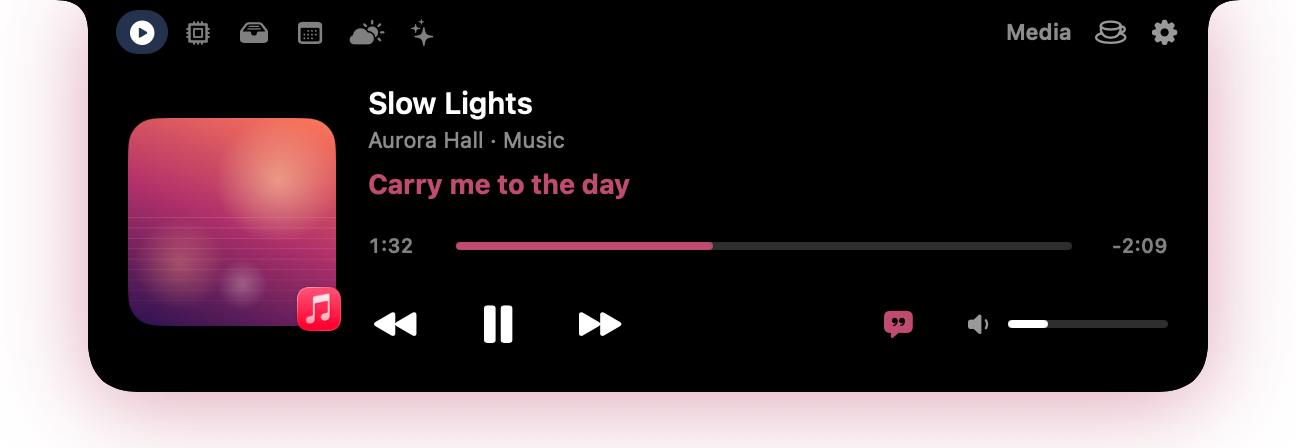
Music, Spotify or the browser, with artwork, controls and a glow in the album's colour. The words of the song, in time, under the notch.
Your Mac's health
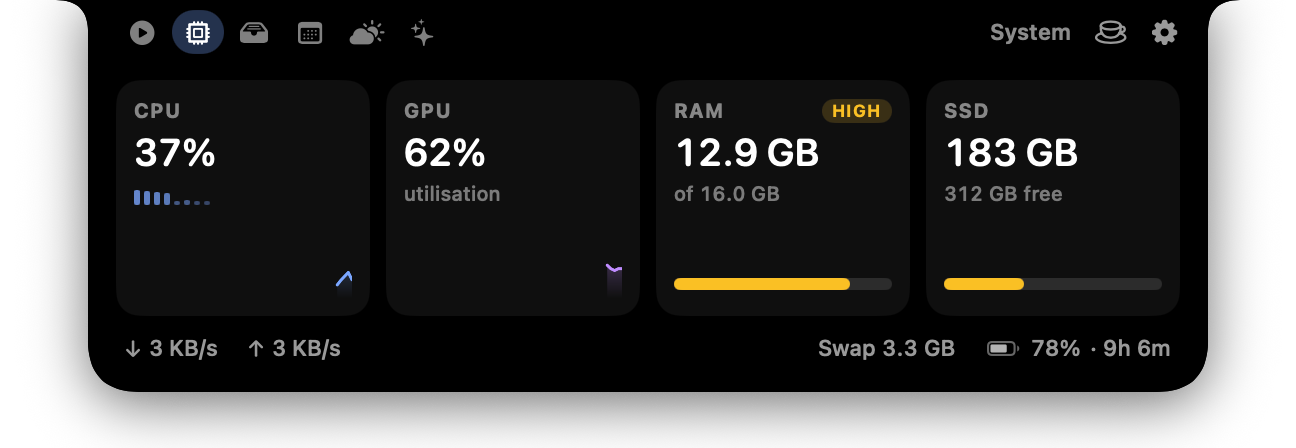
CPU per core, GPU, memory pressure, disk, network and battery, with a warning when something runs hot or runs out.
Keep Awake
One click and your Mac stays on: for an hour, three hours, or while an app runs. A little steaming cup shows it's on.
File shelf
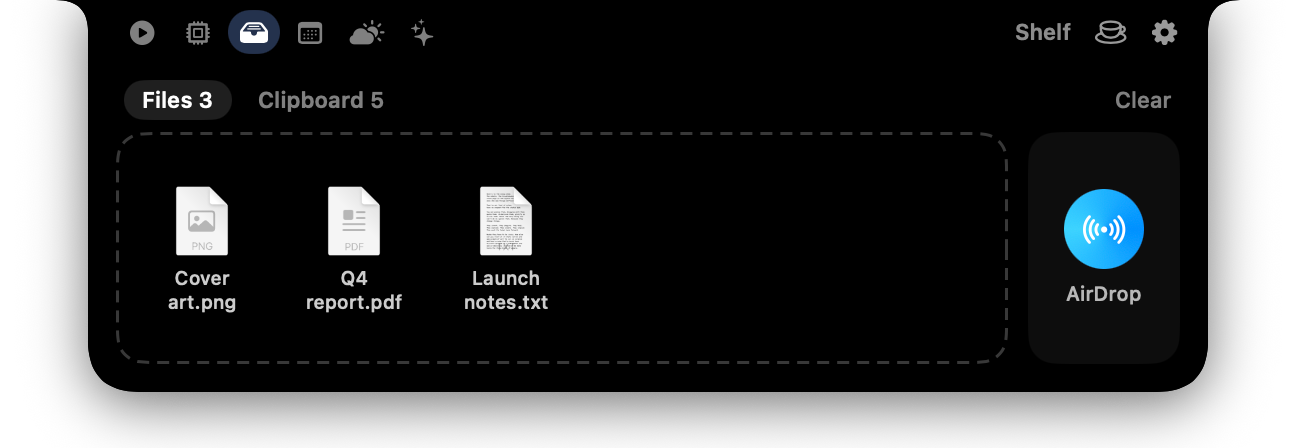
Drop files on the notch to keep them handy. Drag them out later, or AirDrop them in one move.
Clipboard history
Your last copies, one click to paste again. Kept in memory only, and password-manager copies are skipped.
Today
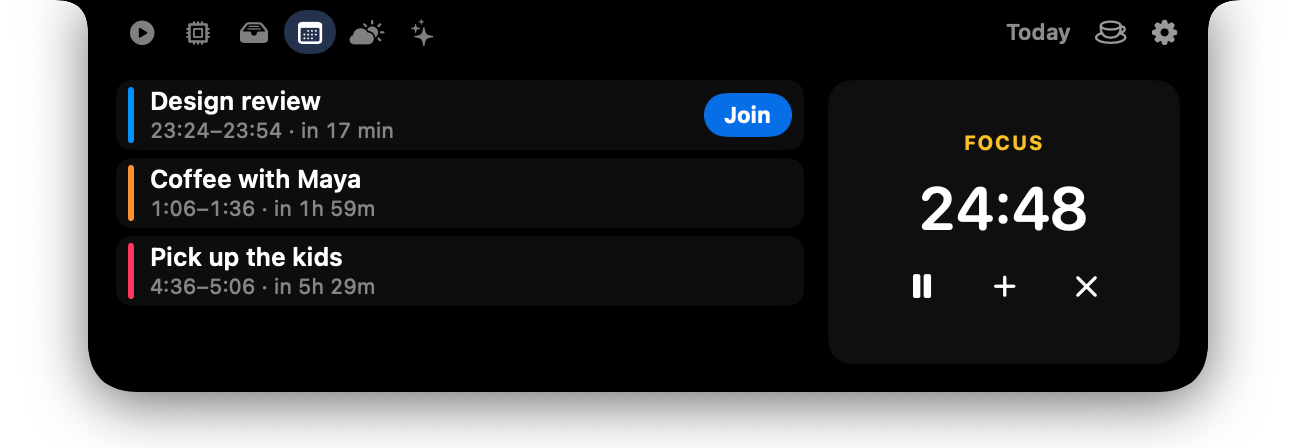
Your next meetings with a Join button for video calls, and a focus timer counting down on the closed notch.
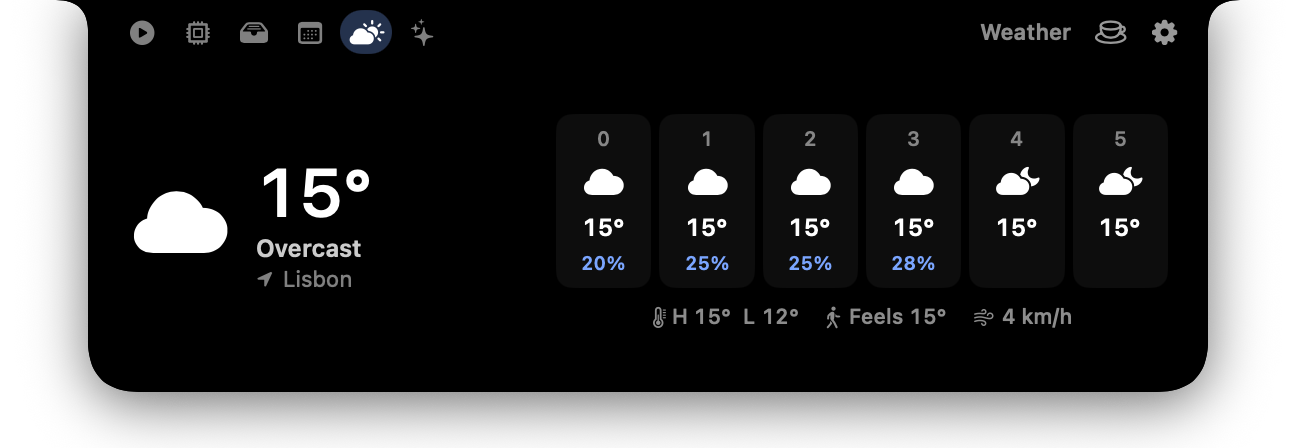
Weather and storm alerts
The forecast in a tab, and a warning in the notch before storms, hail, heavy rain or extreme heat arrive.
Volume and brightness
A clean bar in the notch instead of the big box in the middle of your screen.
AirPods battery
Each earbud and the case, the moment they connect.
And if you work with AI agents
Know the moment your agent needs you.
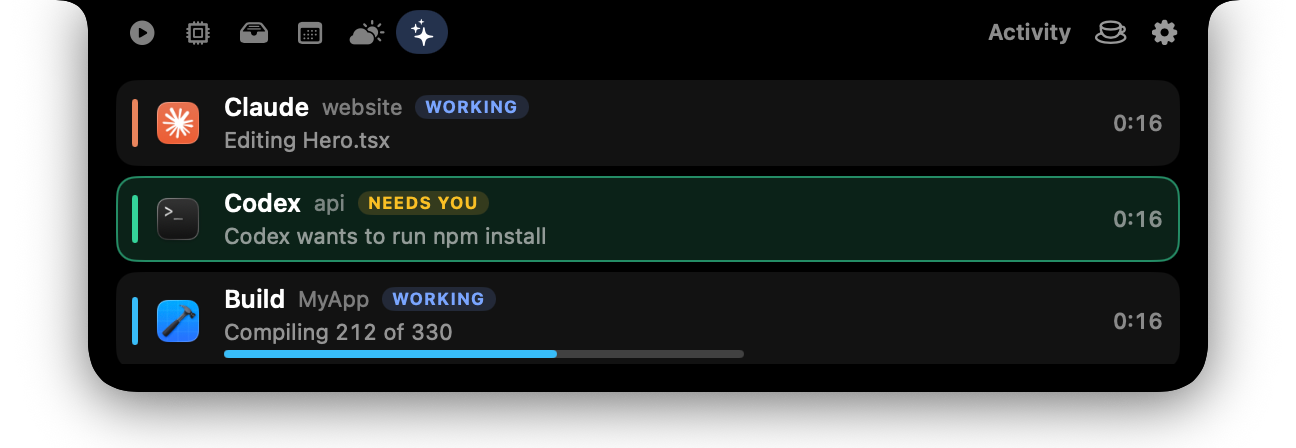
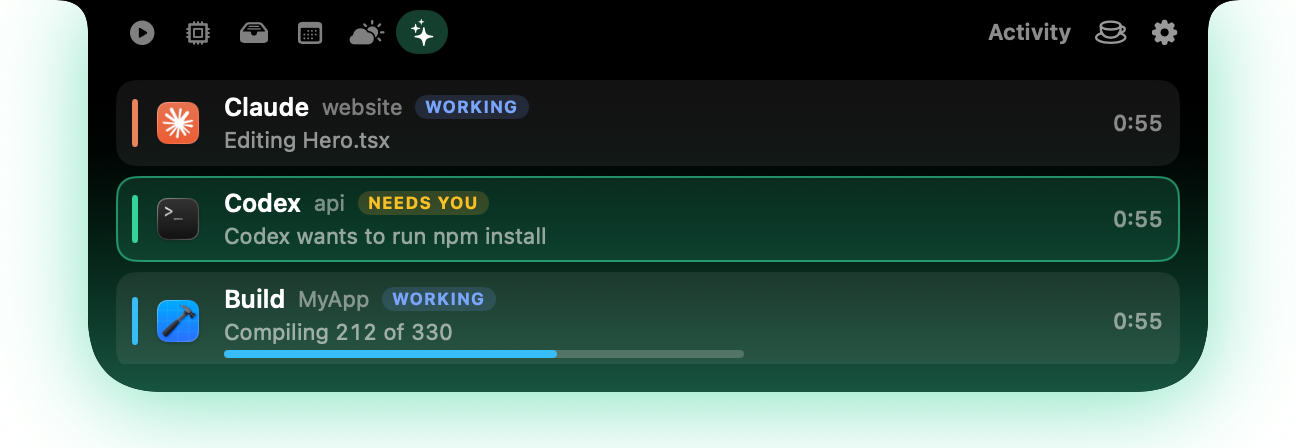
Connect Claude Code, Codex, Cursor or Gemini CLI with one click. The notch shows each one working, pops up when it needs your OK, and tells you when it's done, with how long it took.
Long Terminal commands pop up when they finish, and any script can show its progress.
nimbo run -- npm testClosed: it pops out when an agent needs you

Open: every agent and job, in its own colour
- Claude Code
- Codex
- Cursor
- Gemini CLI
- Terminal
- your own scripts
Make it yours.
Six ready-made looks, or pick the parts: black, frosted glass, a tint or the colours of the song that's playing. Any accent, a line or a glow, and the corners you like. Closed, it always stays black, like the real notch.
- LightLighter than a single browser tab.
- QuietBarely touches the CPU when closed. Stats are measured only while you look.
- NativeBuilt for the Mac in Swift. Smooth at 120 Hz, easy on the battery.
- PrivateNo account, no tracking. Your files, clipboard and stats stay on your Mac.
Pay once. Keep it.
$15one time, no subscription
- Every feature
- A licence for one Mac
- Money back within 14 days
Checkout by Lemon Squeezy. Your licence key and download link arrive by email. Tax added where your country requires it.
Questions
My Mac has no notch. Does it work?
Yes. On a Mac without a notch, or on an external display, Nimbo draws its own at the top of the screen.
Which Macs and macOS versions?
Macs with Apple Silicon (M1 or newer) on macOS 14 Sonoma or later.
Is it a subscription?
No. You pay once and keep it.
What does it do with my data?
Nothing leaves your Mac except the weather forecast and song lyrics, which are fetched from public services. No account, no analytics.
Which AI tools can it show?
Claude Code, Codex, Cursor and Gemini CLI connect with one click in Settings. Long Terminal commands and any script can show up too.
What if it isn’t for me?
Email us within 14 days of buying and you get your money back.